
LocalTube
Chrome extension · YouTube- Follow channels with no Google login
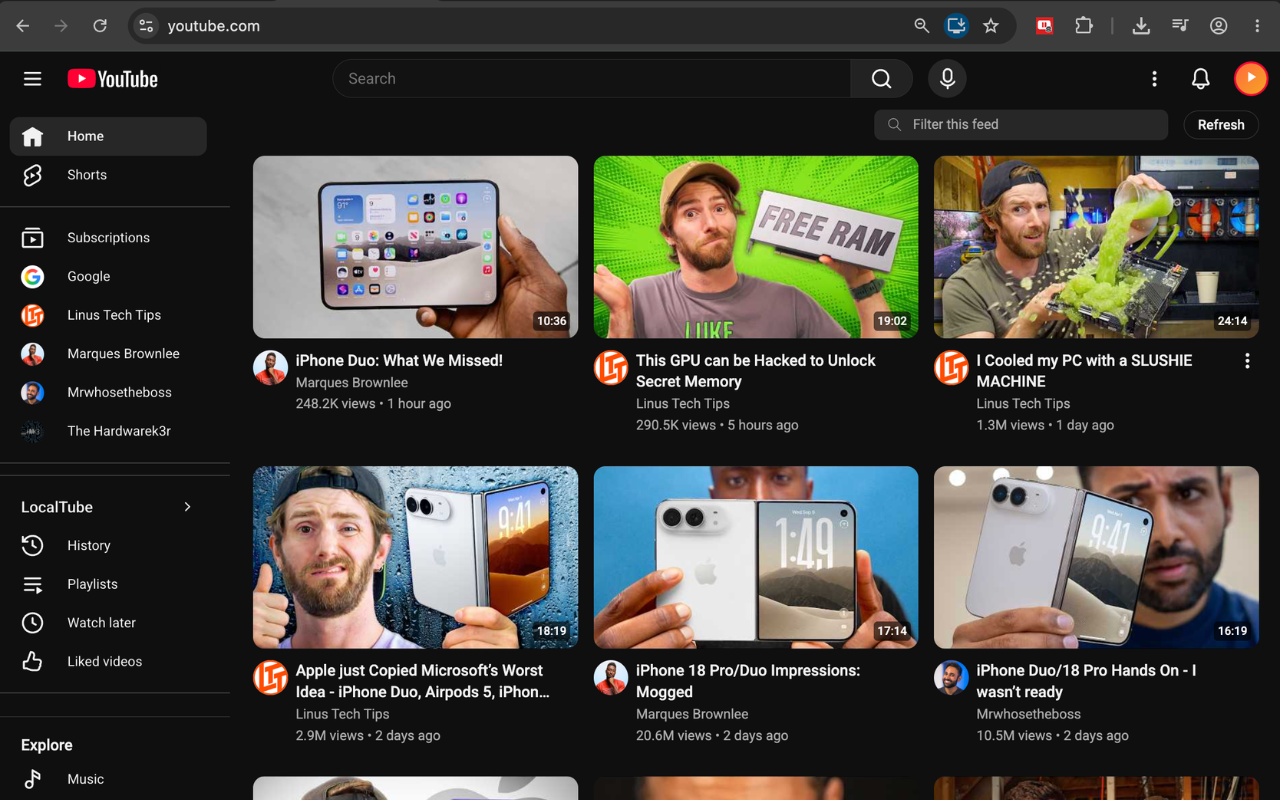
- A homepage showing only what you follow
- Playlists, Watch Later and a Liked list
- Export and restore it all as one file
Free — no paid tier, no account
Privacy-first browser extensions
The sites you use every day are built for one thing at a time — one email, one video, one click. The moment you want fifty emails filed, or a homepage that shows only what you actually chose, you are on your own. That is the part we build for.
Products
Each one solves a single repetitive job completely, rather than solving twenty jobs halfway.
Free — no paid tier, no account

Free to use — with a 7-day Pro trial on install
In development
We keep building around the same idea: take a job you do by hand twenty times a week and make it one click, without asking for your account. Watch this space.
Why CyberFenix
Most tools like these want OAuth access to your account, then do the work on their own servers. Ours don't work that way — and can't.
Reading, rendering, archiving and every list you build happen inside your own browser. Nothing of yours is ever uploaded, anywhere.
No OAuth, no Google Cloud project, no consent screen. Our extensions work inside the browser session you already have — or, in LocalTube's case, with no sign-in at all.
No tabs, no downloads, no host beyond the one site
each extension actually needs. Check the permissions Chrome asks for at
install — that's the real claim, not marketing copy.
LocalTube is free outright. Gmail Bulk Extractor gives every install 7 days of Pro, then stays free and usable — the upgrade is for volume, not basic function.
Spotlight
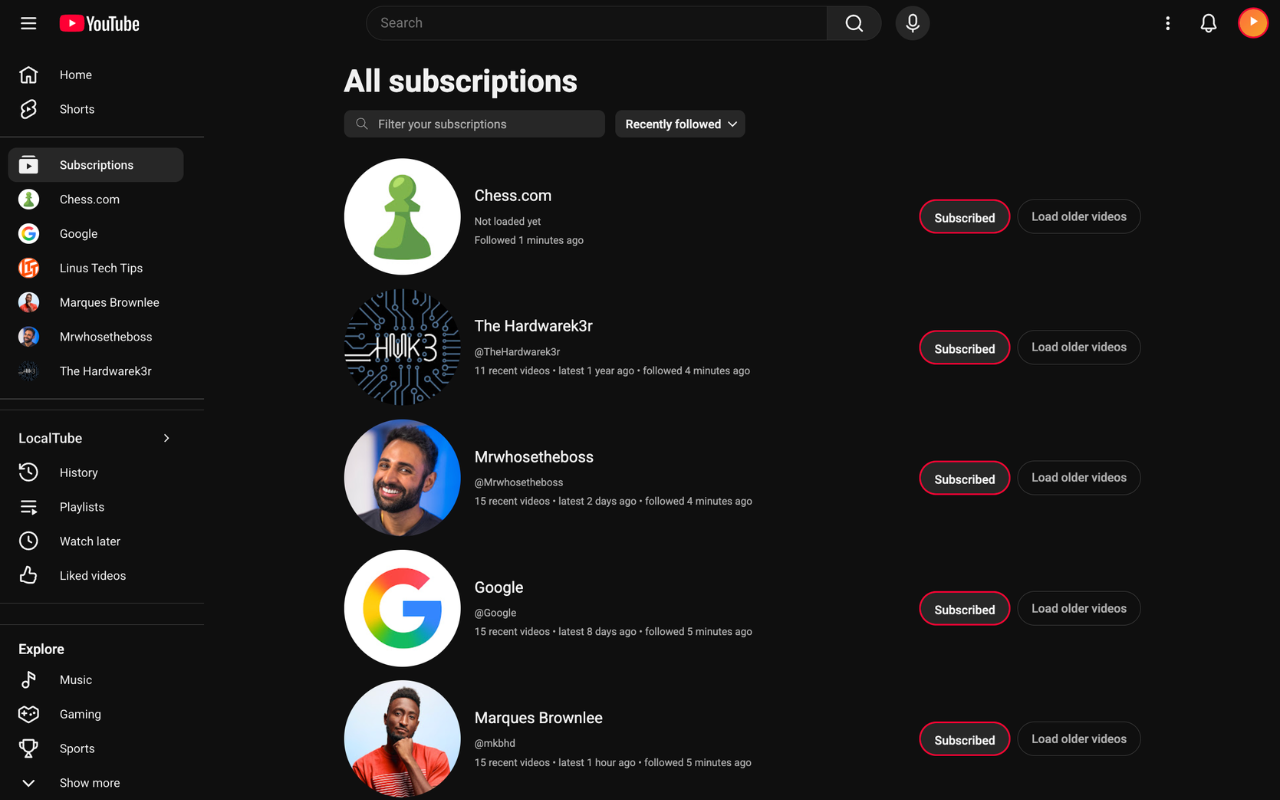
LocalTube adds a Follow button to YouTube itself. Everything it remembers stays in your own browser — there is no account behind any of it.
One button on any channel or video page. No sign-in, nothing to authorize.
YouTube's home grid is replaced by recent uploads from the channels you follow, newest first — no recommendations, no autoplay bait.
Follows, playlists, likes and history live in your browser's own storage. Export a backup whenever you want a copy.
Spotlight
Gmail Bulk Extractor adds one toolbar to the Gmail interface you already use. Select messages the normal way and pick what you want out of them.
Use Gmail's own checkboxes, search, or filters — however you already work.
PDF, Attachments, ZIP or Merge. The toolbar sits right where Gmail's own buttons are, styled to match, light or dark.
Files land in a dated folder, named from each email's date, sender and subject. On Pro you control that naming with templates.

Questions
No. Our extensions run entirely in your browser and read mail through the Gmail session you are already signed into. There is no server of ours in the path, no OAuth token, and no copy of your mail anywhere but your own machine.
No. There is nothing to sign up for. If you choose to upgrade to Pro, payment is handled by ExtensionPay and Stripe, and the only thing stored is whether your licence is active.
Chrome, and Chromium-based browsers that install from the Chrome Web Store — Edge, Brave, Opera and Vivaldi. Firefox and Safari are not supported today.
LocalTube is free outright — there is no paid tier and nothing to unlock. Gmail Bulk Extractor is free with a limit: every install starts with 7 days of full Pro, after which the core actions stay free up to 100 emails a week, and Pro lifts the limit and unlocks ZIP export, Merge, and custom file naming.
Both are. LocalTube and Gmail Bulk Extractor are on GitHub under the MIT licence, including the exact code that ships to the Web Store.
Install LocalTube — free, open source, no account required.